How Do I Redeem a Discount Code or Coupon?Updated 7 months ago
Where do I enter my discount code?
During checkout, look for the “Discount Code” field (see the sample image below). Enter your code, click “APPLY,” and make sure the discount appears before completing your purchase.
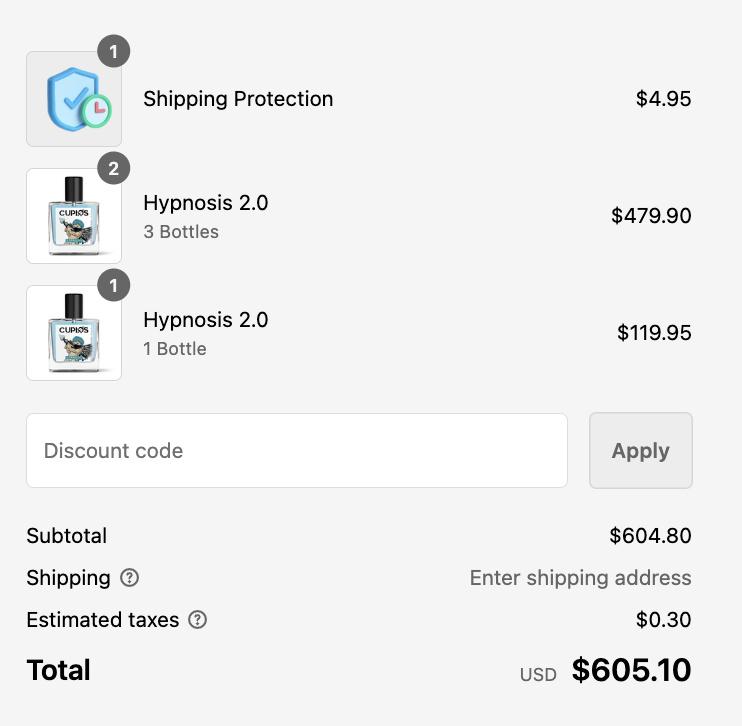
Can I use more than one discount code?
Only one discount code can be used per order, so no double-dipping. Be sure to choose the code that gives you the best deal.
What if my discount code isn’t working?
If your code doesn’t apply, it may have expired or is no longer active. Feel free to reach out to our customer support team, and we’ll be happy to check the code for you.
What if I forgot to apply my discount code?
No worries! If you forgot to apply your code before placing your order, contact our support team with a screenshot of the code and the email it was sent from. We’ll do our best to help.
Common Reasons a Discount Code May Not Work
If your discount code isn’t applying, here are a few common things to check:
Expired Code: Some discount codes are only valid for a limited time.
One Code per Order: Only one discount code can be applied per order.
Product Restrictions: Certain promotions may only apply to specific products or bundles.
Already Used: Some codes can only be redeemed once per customer.
Typing Errors: Extra spaces, missing characters, or incorrect capitalization can prevent the code from applying.